
Description
What is FreeStyle Libre 2 Plus?
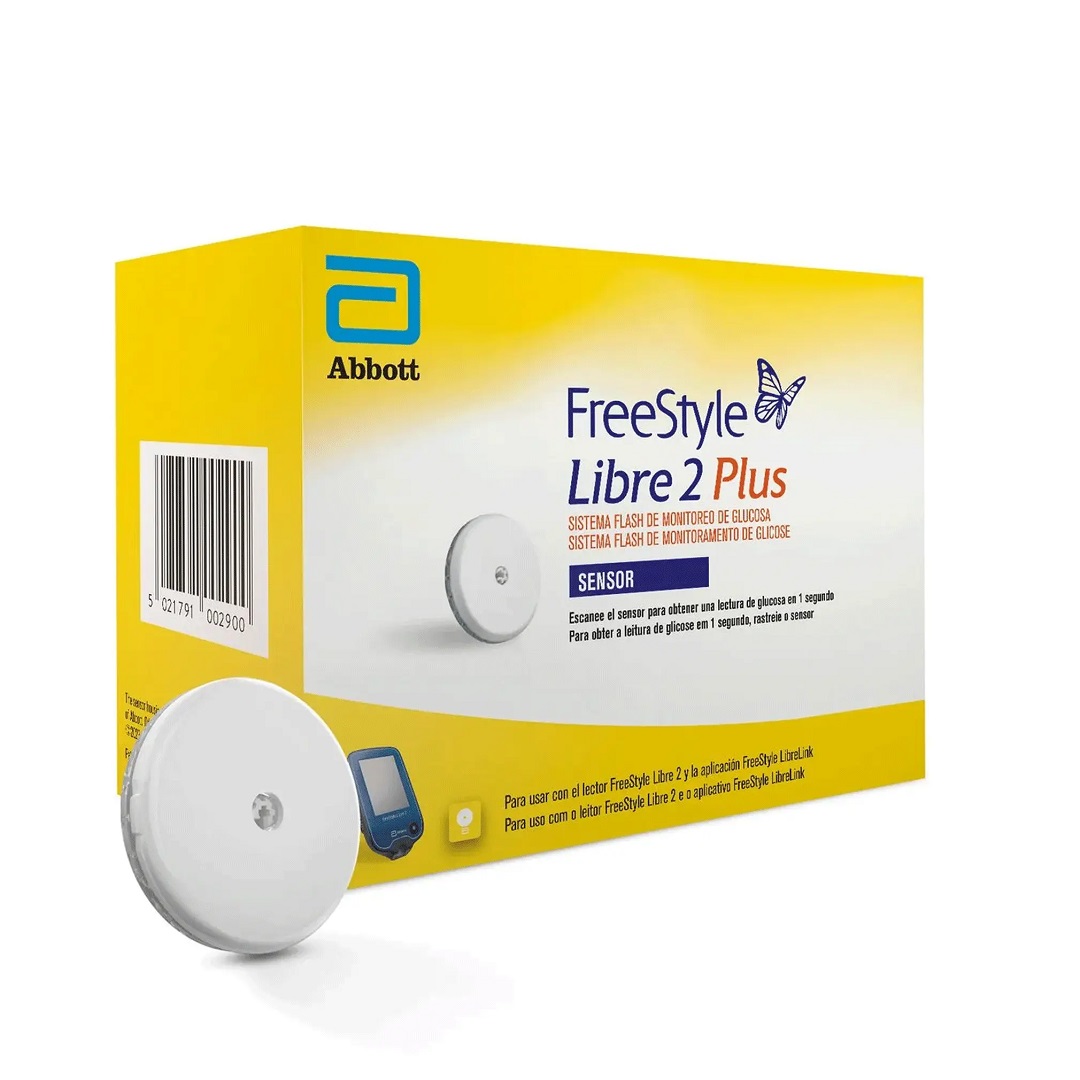
The FreeStyle Libre 2 Plus Sensor is Abbott’s most advanced continuous glucose monitoring (CGM) system, designed to help people with diabetes monitor their blood sugar effortlessly. With real-time glucose readings sent directly to your smartphone every minute, this cutting-edge device eliminates the need for routine finger pricks while offering improved accuracy and extended wear time of up to 15 days.
Suitable for individuals aged 2 years and older, the FreeStyle Libre 2 Plus provides a discreet, pain-free, and highly effective solution for managing diabetes.
Why Choose FreeStyle Libre 2 Plus?
- ✅ Instant Glucose Readings: Get real-time glucose updates on your phone without finger sticks.
- ✅ Continuous 24/7 Monitoring: Tracks glucose fluctuations every minute for accurate trend analysis.
- ✅ Customisable Alerts: Receive high, low, and signal loss alarms to avoid glucose spikes or drops.
- ✅ Extended 15-Day Wear: Longer wear duration than the Libre 2 sensor, reducing sensor replacements.
- ✅ Discreet & Comfortable: A small, lightweight sensor (5mm height, 35mm diameter) sits on the back of the arm, virtually unnoticeable under clothing.
- ✅ Water-resistant: Safe for showering, swimming, and exercising.
- ✅ No Routine Finger Pricks: Replaces traditional blood glucose testing with easy scanning.
- ✅ Data Storage: Stores 8 hours of readings at 15-minute intervals for better tracking.
- ✅ Insulin Pump Integration: Works with the Tandem t:slim X2 insulin pump for automated insulin delivery (AID system).
How Does FreeStyle Libre 2 Plus Work?
The sensor is applied to the back of the upper arm, where a thin filament is inserted under the skin to measure glucose levels in the interstitial fluid (ISF). This pain-free, discreet system continuously transmits readings to your smartphone or a compatible reader.
With wireless NFC technology, the sensor works like a contactless payment system—simply scan it with your phone for an instant glucose reading.
- ✅ Real-time glucose tracking: Observe how food, exercise, and medication affect your blood sugar levels.
- ✅ Seamless app integration: Works with the FreeStyle LibreLink app to store and analyse data.
Applying & Removing the FreeStyle Libre 2 Plus Sensor
How to Apply the Sensor:
- Prepare the site: Clean the back of the upper arm with an alcohol wipe.
- Activate the applicator: Align the dark marks on the sensor pack and applicator, then press down firmly.
- Apply the sensor: Press the applicator onto the skin, ensuring the sensor adheres properly.
- Confirm placement: Ensure the sensor is secured before discarding the used applicator.
How to Remove the Sensor Safely:
Use baby oil or an adhesive remover to gently detach the sensor from the skin.
Who Should NOT Use FreeStyle Libre 2 Plus?
- Medical Scans: Remove the sensor before MRI, CT scans, diathermy, or X-rays.
- Vitamin C Overdose: Avoid consuming more than 1000mg of vitamin C daily, as it may cause inaccurate readings.
- Not Suitable for Certain Medical Conditions: Always follow the manufacturer’s guidance and consult a healthcare professional if uncertain.
How Long Does the FreeStyle Libre 2 Plus Sensor Last?
Each sensor lasts 15 days, offering superior accuracy compared to its predecessor.
Can Children Use the FreeStyle Libre 2 Plus Sensor?
Yes! The FreeStyle Libre 2 Plus is approved for children aged 2 years and older, making it an excellent choice for young diabetes patients.
Compatibility & Storage Guidelines
✅ Compatible Devices:
- FreeStyle LibreLink App
- FreeStyle Libre 2 Reader
Important Note: If you start using your sensor with the FreeStyle Libre 2 Reader, real-time glucose readings on the app won’t be available. You must scan both devices to retrieve data.
✅ Storage Instructions:
- Store in original packaging until ready for use.
- Keep in a cool, dry place (4°C to 25°C), away from direct sunlight.
- Keep out of reach of children.
FreeStyle Libre 2 vs FreeStyle Libre 3 – Which One is Best?
The FreeStyle Libre 3 is the most advanced model yet, featuring:
- ✅ Smallest & Thinnest Sensor: 70% smaller than Libre 2.
- ✅ One-Piece Applicator: Easier sensor application.
- ✅ Real-Time Glucose Alarms: Immediate alerts for highs and lows.
- ✅ Improved Accuracy: More precise readings than any other 14-day CGM.
- ✅ More Affordable CGM Option: Competitive pricing, even without insurance.
Where to Buy FreeStyle Libre 2 Plus Sensor?
You can purchase the FreeStyle Libre 2 Plus Sensor from leading UK pharmacies, including The Care Pharmacy and other trusted online retailers.









Reviews
There are no reviews yet.